Domain Search: The Ultimate Guide to Finding and Checking Domain Name Availability Published: 05 May, 2026
Introduction
In the digital age, your domain name is more than just an address — it is your identity on the internet. Whether you are launching a personal blog, a startup, an e-commerce store, or a corporate website, the first step in establishing your online presence is finding the right domain name. A Domain Search tool is the gateway to that process, and understanding how to use it effectively can make the difference between building a memorable brand and settling for a forgettable web address.
This comprehensive guide will walk you through everything you need to know about domain search: what it is, how it works, why it matters, and how to use it to your advantage.
What Is a Domain Search Tool?
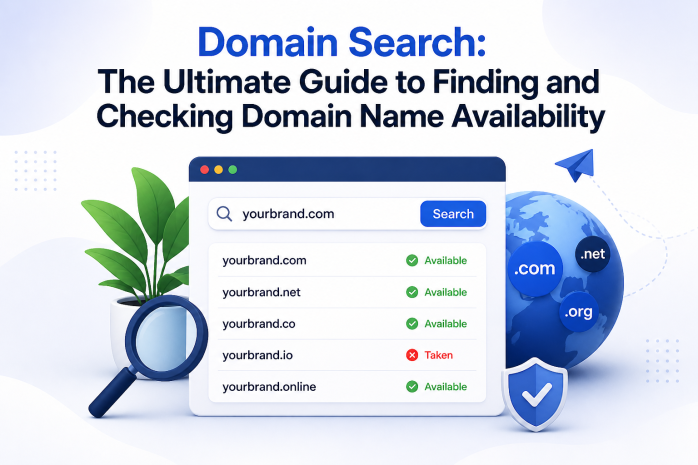
A domain search tool is an online utility that allows users to check whether a specific domain name is available for registration. When you type a desired name into the search bar, the tool queries domain registrar databases and the WHOIS system in real time to determine if that domain is taken, available, or reserved.
For example, if you want to register mybusiness.com, a domain search tool will instantly tell you:
- Whether mybusiness.com is already registered by someone else
- If it is taken, what alternative extensions (TLDs) might still be available, such as .net, .org, .io, .co, etc.
- Sometimes, it will also show you whether the taken domain is listed for sale
Domain search tools are offered by most domain registrars and third-party DNS services. They form the very first step in the domain registration journey.
Why Is Choosing the Right Domain Name So Important?
Your domain name influences many aspects of your digital presence, including:
1. Brand Recognition
A short, memorable domain name is easier for users to remember and type directly into a browser. Think of names like amazon.com, google.com, or twitter.com — they are simple, clean, and instantly associated with their brands.
2. Search Engine Optimization (SEO)
While Google has confirmed that the exact keyword match in a domain name is no longer a dominant ranking factor, having a relevant and readable domain still contributes to your overall SEO strategy. A domain that clearly reflects your niche helps users understand what your site is about before they even click.
3. Credibility and Trust
A professional domain name builds trust with your audience. Visitors are more likely to trust a website with a clean, professional domain than one with a long, hyphenated, or misspelled name.
4. Email Professionalism
Your domain name is also used for business email addresses. A domain like yourname@yourbusiness.com appears far more professional than a generic Gmail or Yahoo address.
How Does a Domain Search Work?
When you enter a domain name into a search tool, the following process happens behind the scenes:
Step 1: Input Parsing
The tool parses your input to separate the domain name from the extension. For example, if you type "mybusiness.com," it extracts "mybusiness" as the second-level domain (SLD) and ".com" as the top-level domain (TLD).
Step 2: WHOIS Database Query
The tool sends a query to the WHOIS database — a publicly accessible record that stores information about all registered domain names, including ownership details, registration dates, and expiration dates. If the domain is found in the WHOIS database, it is considered taken.
Step 3: Registry Check
Beyond WHOIS, the tool may also check the specific registry for the requested TLD. For example, a .com query goes through VeriSign's registry, while a .org query goes through PIR (Public Interest Registry).
Step 4: Results Display
The tool returns a result indicating:
- Available: The domain can be registered immediately
- Taken: The domain is already registered by someone else
- Pending/Reserved: The domain may be in a grace period or held by a registry
Top-Level Domains (TLDs) Explained
One of the most important decisions in domain selection is which TLD to choose. Here is a breakdown of the most common options:
Generic TLDs (gTLDs)
- .com — The most popular and trusted extension globally; ideal for commercial websites
- .net — Originally for network organizations; now widely used as an alternative to .com
- .org — Traditionally for non-profit organizations; still carries a trustworthy reputation
- .info — Used for informational websites
- .biz — Designed for businesses
Country Code TLDs (ccTLDs)
- .us — United States
- .uk — United Kingdom
- .de — Germany
- .eg — Egypt
- .ca — Canada
New Generic TLDs (ngTLDs)
Introduced after 2014, these include hundreds of specialized extensions such as:
- .io — Popular among tech startups
- .app — For mobile and web applications
- .blog — For blogging websites
- .shop — For e-commerce stores
- .agency, .studio, .digital, and many more
Sponsored TLDs
- .edu — For accredited educational institutions
- .gov — For U.S. government agencies
- .mil — For U.S. military organizations
Tips for Choosing the Perfect Domain Name
Using a domain search tool is simple, but knowing what to search for is an art. Here are proven strategies:
Keep It Short and Simple
Shorter domains are easier to remember and type. Aim for names under 15 characters. Avoid complex words or unusual spellings.
Make It Easy to Pronounce
If someone hears your domain name out loud, can they spell it correctly? If not, you risk losing traffic to misspellings.
Avoid Hyphens and Numbers
Hyphens and numbers in domain names look unprofessional and are confusing when shared verbally. "best-deals-online-4you.com" is far less appealing than "bestdealszone.com."
Use Keywords Strategically
If your website is about travel, incorporating a travel-related word can help visitors immediately understand your site's purpose. However, do not stuff keywords unnaturally.
Think Long-Term
Your domain name should be scalable. Avoid names that are too niche, such as "chicagopizzareviews.com" if you plan to eventually expand to all food types or all cities.
Check Social Media Availability
After finding an available domain, check whether the same name is available on major social media platforms like Instagram, X (Twitter), Facebook, and YouTube. Brand consistency across all platforms is valuable.
Avoid Trademarked Names
Before registering a domain, make sure it does not infringe on an existing trademark. Registering a domain that mimics a well-known brand can lead to legal disputes and forced domain transfers.
Understanding Domain Expiration and Backorders
When you search for a domain and find it is taken, all hope is not lost. Here are your options:
Check the Expiration Date
Using a WHOIS lookup (often integrated with domain search tools), you can find out when a registered domain is set to expire. If the owner forgets to renew it, it may become available again.
Domain Backordering
Many registrars offer a backorder service. This allows you to reserve your intent to register a domain the moment it becomes available. Backorder services monitor expiring domains and attempt to register them on your behalf.
Buying Directly from the Owner
If a domain is taken but you really want it, you can contact the current owner and negotiate a purchase. Platforms like Sedo and Afternic facilitate domain sales between parties.
Common Mistakes to Avoid When Searching for Domains
- Rushing the decision: Take your time to test several name ideas before committing.
- Ignoring alternative TLDs: If your preferred .com is taken, a .io or .co might serve you just as well.
- Not checking trademark conflicts: A quick trademark search can save you from costly legal issues later.
- Choosing a name that is hard to brand: Generic or overly descriptive names are hard to build a brand around.
- Not registering variations: Once you register your main domain, consider registering common misspellings and alternative TLDs to protect your brand.
How to Register Your Domain After Finding It Available
Once a domain search confirms your desired name is available, here is what to do next:
- Select a reputable registrar: Choose a domain registrar that offers competitive pricing, good customer support, and additional services like WHOIS privacy protection.
- Add WHOIS Privacy: This service hides your personal contact information from the public WHOIS database, protecting your privacy.
- Set up auto-renewal: Prevent accidentally losing your domain by enabling automatic renewal.
- Register for multiple years: Longer registration periods signal legitimacy to search engines and protect you from forgetting to renew.
- Start building your website: Once registered, point your domain to your hosting provider and start building.
Domain Search and SEO: What You Need to Know
While domain names are not the most powerful SEO ranking factor, they still play a role in your overall digital strategy. Here is how:
- Exact Match Domains (EMDs): These were once powerful for ranking, but Google's updates have reduced their impact. Today, a strong brand is worth more than a keyword-stuffed domain.
- Domain Age: Older domains tend to be trusted more by search engines. This is why buying an aged domain can sometimes be advantageous.
- Backlinks to Your Domain: A short, memorable domain is easier for other websites to link to and mention.
- HTTPS and Domain Trust: Always pair your domain with an SSL certificate for secure HTTPS connections. Search engines favor secure websites.
Conclusion
A domain search tool is the essential starting point for anyone looking to establish an online presence. By understanding how it works, what to look for, and how to make smart decisions about domain names, you can set yourself up for long-term success on the web. Take the time to explore your options, think creatively about your brand name, and use all the available tools and strategies discussed in this guide.
Your perfect domain name is out there — a good domain search tool will help you find it.