Reverse IP Lookup: Discover All Websites Hosted on the Same Server Published: 05 May, 2026
Introduction
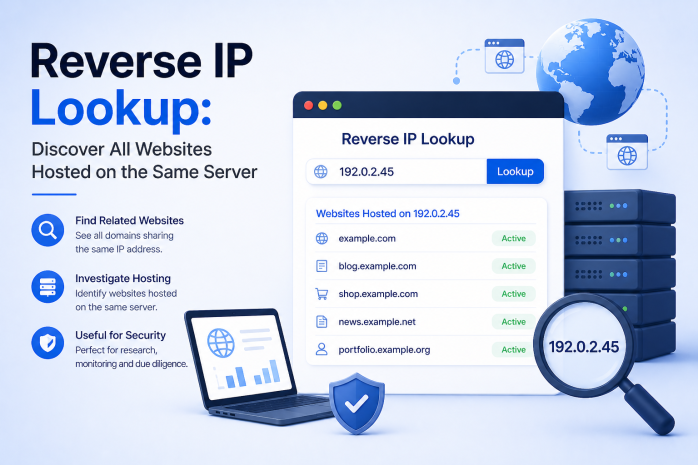
When most people think of IP addresses and domain names, they think of it as a one-to-one relationship: one website, one IP address. But the reality of modern web hosting is far more complex. A single IP address can host dozens, hundreds, or even thousands of different websites simultaneously. The tool that lets you uncover this hidden network of co-hosted domains is called a Reverse IP Lookup.
Reverse IP Lookup is an invaluable technique for web professionals, cybersecurity analysts, SEO specialists, competitive researchers, and digital investigators. In this comprehensive guide, we will explain exactly what reverse IP lookup is, how it works, what you can learn from it, and how to apply this knowledge in practical scenarios.
What Is Reverse IP Lookup?
A Reverse IP Lookup (also known as Reverse DNS Lookup in some contexts) is a process that takes an IP address as input and returns a list of all domain names currently hosted on that IP address or server.
To understand why this matters, consider the difference between:
- Forward DNS lookup: You provide a domain name (e.g., example.com) and the system returns its IP address (e.g., 192.168.1.1)
- Reverse IP lookup: You provide an IP address (e.g., 192.168.1.1) and the system returns all domain names pointing to that server (e.g., example.com, anotherbrand.net, thirdsite.org)
This reversal of the typical lookup direction opens up an entirely different dimension of information about how the internet is organized.
How Does Reverse IP Lookup Work?
The process relies on several technical mechanisms:
DNS Pointer Records (PTR Records)
In the DNS system, there is a special record type called a PTR record (Pointer Record). Unlike an A record (which maps a domain to an IP), a PTR record maps an IP address back to a hostname. These records are stored in a special zone of the DNS called the in-addr.arpa zone for IPv4 addresses or ip6.arpa for IPv6 addresses.
However, PTR records only return a single hostname per IP — they do not list every domain hosted on a server. For a full list of co-hosted domains, specialized reverse IP databases are used.
Reverse IP Databases
Specialized services continuously crawl the internet and build large databases that correlate IP addresses with the domain names observed pointing to them. When you use a reverse IP lookup tool, it queries this database and returns all the domains it has associated with the given IP.
These databases are assembled through:
- Large-scale web crawling
- DNS zone data analysis
- Certificate transparency logs (which reveal domain names in SSL certificates)
- Historical DNS records
- Passive DNS collection from various network vantage points
Shared Hosting vs. Dedicated Hosting: Why It Matters
The results of a reverse IP lookup look very different depending on the type of hosting environment:
Shared Hosting
This is the most common type of hosting for small to medium websites. In a shared hosting environment, a single web server (with one or a few IP addresses) hosts hundreds or even thousands of websites simultaneously. Resources like CPU, memory, and bandwidth are shared among all tenants.
A reverse IP lookup on a shared hosting IP might return a list of 500+ domains — most of them unrelated to each other, simply sharing the same physical server because it is economically efficient.
Virtual Private Server (VPS) Hosting
A VPS gives you a portion of a physical server that behaves like a dedicated server. Fewer websites share the IP, but it is still possible to find several co-hosted domains on a VPS IP through a reverse lookup.
Dedicated Server Hosting
Here, the entire physical server is allocated to one customer. A reverse IP lookup on a dedicated server typically returns only a handful of domains — all belonging to or managed by the same organization.
Cloud Hosting (AWS, Google Cloud, Azure)
Large cloud providers use massive pools of IP addresses that are dynamically assigned. A reverse IP lookup on a cloud IP might return the provider's own hostname (like ec2-52-12-34-56.compute-1.amazonaws.com) rather than specific customer domains. Results here can vary significantly.
Content Delivery Networks (CDNs)
CDNs like Cloudflare, Fastly, or Akamai use shared IP ranges for millions of websites. A reverse IP lookup on a CDN IP might return an enormous list of completely unrelated domains — all of which are merely using the CDN, not sharing the same origin server.
Why Use Reverse IP Lookup? Key Use Cases
1. Cybersecurity and Threat Intelligence
Security professionals use reverse IP lookup to investigate malicious infrastructure. If one domain associated with an IP is identified as serving malware or phishing content, all other domains on the same IP become immediately suspect. This technique is used to:
- Map out the hosting infrastructure of cybercriminal groups
- Identify related phishing domains that share infrastructure
- Discover the full scope of a botnet's command-and-control network
- Investigate spam campaigns by tracing the origin IP
2. SEO Analysis and Competitive Research
In the SEO world, reverse IP lookup helps practitioners:
- Identify whether a competitor owns multiple websites on the same server, which could reveal their content network strategy
- Detect Private Blog Networks (PBNs) — groups of websites built to artificially generate backlinks for SEO purposes. PBNs often host multiple sites on the same IP, which is a footprint that can be detected and penalized by search engines
- Audit your own hosting environment: if you own multiple legitimate sites and they are all on the same IP, some SEO practitioners recommend distributing them across different IPs and hosting environments
3. Domain Investment and Research
Domain investors use reverse IP lookups to:
- Discover expired or underused domains on a shared server that might be worth acquiring
- Research the portfolio of a domain investor or website operator by identifying other domains they manage
- Evaluate the "neighborhood" of a server before purchasing a domain — if many neighboring sites have poor reputations, it could negatively affect your new domain's perception
4. Network Administration and Infrastructure Auditing
IT administrators and network engineers use reverse IP lookups to:
- Audit which domains are currently pointing to specific servers
- Verify server migration progress (checking whether all domains have successfully moved to a new IP)
- Detect unauthorized domains pointing to company infrastructure
5. Journalism and Investigation
Digital investigators and journalists use reverse IP lookup as part of open-source intelligence (OSINT) investigations to:
- Trace the operator of an anonymous website by finding other domains on the same IP that reveal more identifying information
- Connect seemingly unrelated websites to a common owner
- Document the infrastructure behind disinformation campaigns or fraudulent operations
6. Legal and Intellectual Property Cases
In legal disputes involving cybersquatting, brand impersonation, or online fraud, reverse IP lookup can:
- Identify all domains operated by the same party on the same server
- Establish patterns of behavior across multiple infringing domains
- Provide evidence of coordinated activity
How to Interpret Reverse IP Lookup Results
When you run a reverse IP lookup and receive a list of domains, here is how to make sense of what you see:
Volume of Co-Hosted Domains
- Very large number (hundreds or thousands): You are looking at a shared hosting environment or CDN IP. The listed domains are likely unrelated.
- Small number (fewer than 20): Could be a VPS or dedicated server. The domains may be related to each other.
- Single domain: A dedicated server, or a CDN using unique IP per customer. High-end hosting arrangement.
Common Themes or Branding
If multiple domains in the results share similar names, themes, or obvious branding connections (e.g., mybrand.com, mybrand.net, mybrand-blog.com), they likely all belong to the same owner.
Domain Quality Indicators
Scan the listed domains for signs of low quality or malicious intent:
- Spammy-looking domain names with random characters
- Domains registered very recently (can be verified with WHOIS)
- Sites that appear to be parked or redirect to advertising pages
- Domains on known blacklists (can be verified with a blocklist lookup tool)
Geographic Patterns
Sometimes all domains on a server cater to a specific geographic market or language, which can reveal the target audience of the hosting environment.
Reverse IP Lookup and IP Reputation
The concept of IP reputation is closely linked to reverse IP lookup. Every IP address on the internet carries a reputation score, influenced by:
- Whether spam or phishing emails have been sent from it
- Whether it has hosted malware-distributing websites
- Whether it appears on known blocklists
- Whether it has been involved in cyberattacks
This means that your website's reputation can be influenced by other websites sharing your IP address on a shared hosting plan. If a malicious website moves onto your shared server, your IP's reputation could suffer — potentially affecting your email deliverability or even how search engines view your site.
Running a reverse IP lookup on your own hosting IP, combined with a blocklist check, is a good practice to verify that your server neighborhood is clean.
Reverse IP Lookup and Cloudflare
Many websites today use Cloudflare as a reverse proxy. When a website uses Cloudflare, the IP address that resolves from the domain name is actually a Cloudflare IP, not the website's actual origin server IP. This has important implications for reverse IP lookup:
- A reverse IP lookup on a Cloudflare IP will return potentially millions of domains that use Cloudflare, providing no meaningful intelligence about relationships between them
- To find the actual origin IP of a Cloudflare-protected site, more advanced techniques are needed, such as checking historical DNS records, looking for IP leaks in email headers, or using certificate transparency searches
This is worth keeping in mind when your reverse IP lookup returns an implausibly large number of results — the target site is likely using a CDN.
Reverse IP Lookup in Practice: A Step-by-Step Example
Here is a practical walkthrough of how to use a reverse IP lookup tool effectively:
Step 1: Identify the Target Domain Suppose you want to investigate the website suspiciousstore.example.
Step 2: Find Its IP Address Use a DNS lookup tool or simple command-line tool to resolve the domain to its IP address. Let's say it resolves to 198.51.100.42.
Step 3: Run the Reverse IP Lookup Enter 198.51.100.42 into a reverse IP lookup tool.
Step 4: Analyze the Results The tool returns 12 domain names hosted on the same IP. You notice that several of them have similar naming patterns — they all appear to be fake storefronts selling the same types of counterfeit goods.
Step 5: Cross-Reference with Other Tools Use WHOIS to check ownership of the most suspicious co-hosted domains. Use a blocklist lookup to verify if any are flagged for spam or phishing. Use DNS lookup to verify the mail server configurations.
Step 6: Draw Conclusions The pattern of multiple fake storefronts on the same server strongly suggests they are all operated by the same malicious actor, helping build a case for reporting or legal action.
Limitations of Reverse IP Lookup
While powerful, reverse IP lookup has limitations:
- Database completeness: No reverse IP database is 100% complete. Some domains hosted on an IP may not appear in results if they were not crawled or recorded.
- Dynamic IP assignments: Cloud and hosting environments that frequently reassign IPs make results less reliable.
- CDN interference: As discussed, CDN usage masks the true hosting relationship.
- Freshness of data: Databases are updated periodically but not in real time. Recent changes in hosting may not be reflected immediately.
Conclusion
Reverse IP Lookup is a uniquely powerful tool that reveals the hidden relationships between domain names and the servers that host them. Whether you are protecting your business from bad hosting neighbors, investigating cybersecurity threats, auditing your own infrastructure, or conducting competitive intelligence, reverse IP lookup provides a layer of insight that standard DNS queries simply cannot offer.
By combining reverse IP lookup with complementary tools like WHOIS, DNS lookup, and blocklist checkers, you can build a remarkably complete picture of any domain's online environment. In a world where digital threats and opportunities are intertwined, this kind of visibility is an essential advantage.